
One room or a whole estate. Built around teaching. Delivered by ARC.
Planning audio visual solutions for education in one teaching room or across a whole estate? ARC brings classroom AV solutions, lecture theatre AV, interactive displays and wider campus systems together through professional AV services. This guide answers ten common deployment questions and shows how design, installation, commissioning, staff training and ongoing support can connect your technology with the way people teach and learn.
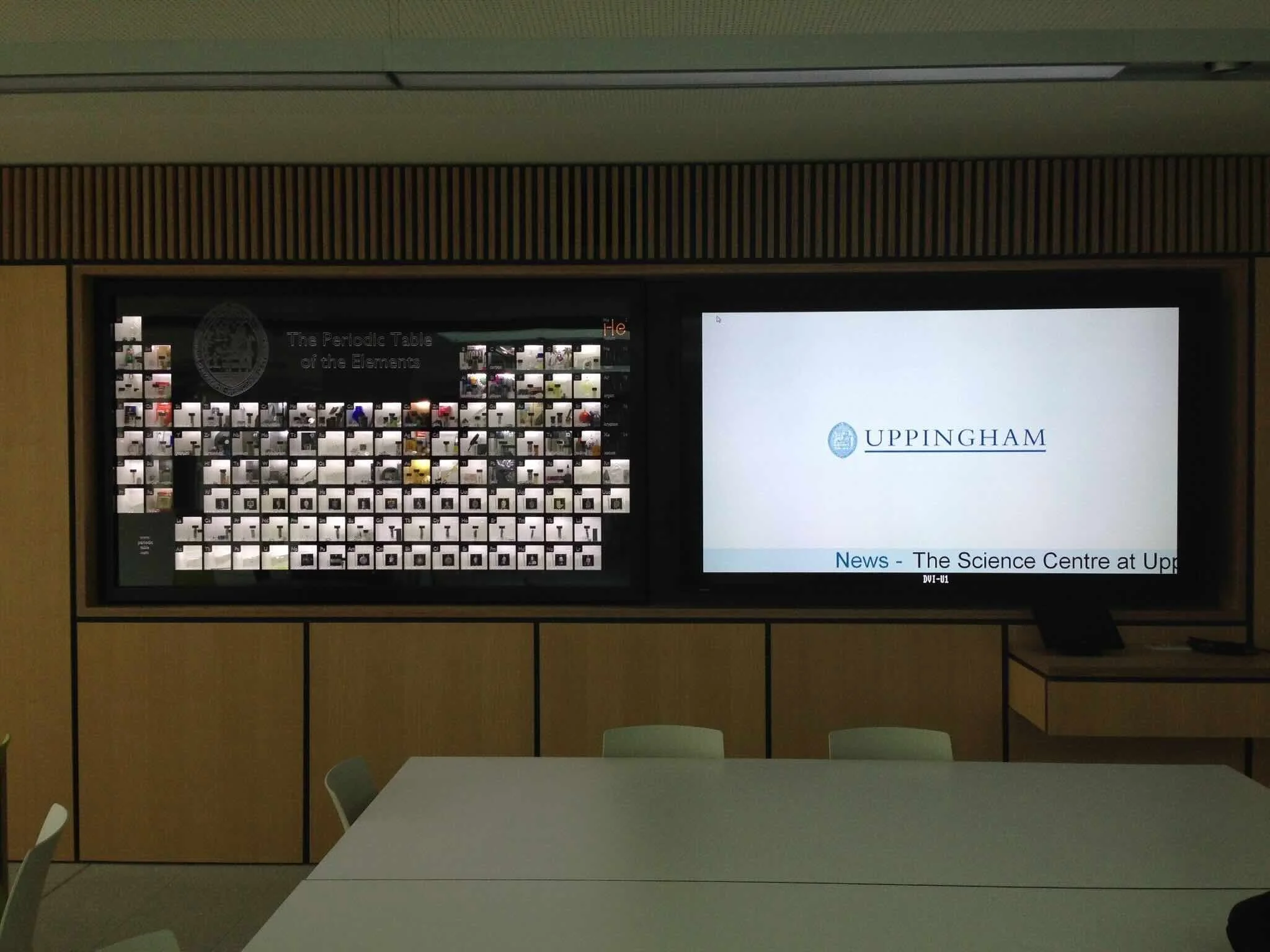
Science teaching room at Uppingham School’s Science Block - supplied ARC project photograph.
Your Education AV planning questions
What AV equipment does a classroom or teaching space actually need?
Should we choose an interactive display, a projector or a conventional screen?
How do we make education AV accessible, visible and easy to hear?
What should a lecture theatre or auditorium AV system include?
Can the same teaching space support hybrid learning and lecture capture?
What IT, network and security preparation is needed before installation?
How much does education AV cost, and can we reuse existing equipment?
What other education AV systems should we consider across the campus?
How do we install, test and train staff without disrupting teaching?
How do we standardise and support education AV across a whole estate?
1. What AV equipment does a classroom or teaching space actually need?
Start with the lesson rather than the equipment list. Identify whether staff need to present slides, annotate, demonstrate a physical object, play media, connect visiting devices or involve remote learners. The right classroom AV may combine a display or projector, suitable sound, source connections, a visualiser or document camera, wireless presentation and straightforward controls.
How ARC helps: ARC can consult teaching staff, IT, estates and learning-support teams, then survey the room and develop a practical brief. Define the daily teaching workflow, accessibility needs and existing software before specifying products. A standard classroom, science laboratory and specialist teaching space may need different equipment but a familiar operating approach.
2. Should we choose an interactive display, a projector or a conventional screen?
An interactive display is useful when touch, annotation and collaboration support the lesson. Projection can suit a large image or a particular room layout, while a conventional display may be appropriate for straightforward presentation. Compare viewing distance, ambient light, writing reach, mounting height, software compatibility and the lesson material rather than choosing on screen size alone.
How ARC helps: ARC can assess sightlines and lighting, demonstrate suitable options and check the software and device workflows with your teaching team. Include touch connectivity, whiteboarding, accessibility and maintenance in the comparison. Agree whether teachers use their own device, a room computer or an embedded operating system, and check any software subscriptions.
3. How do we make education AV accessible, visible and easy to hear?
Plan access from the start. Check text readability at representative seats, contrast, glare, microphone coverage and control-panel reach. Discuss hearing access, captioning workflows and individual learning needs with the relevant teams. Technology should support a range of users; an interactive screen or loudspeaker does not by itself resolve every accessibility barrier.[3]
How ARC helps: ARC can coordinate display positions, microphone and loudspeaker design, control interfaces and recommendations for room acoustics. Test the proposed workflows with representative staff and users where possible. Record specialist requirements in the brief and agree how accessibility will be checked at handover, including the accessibility of teaching content and connected software.
4. What should a lecture theatre or auditorium AV system include?
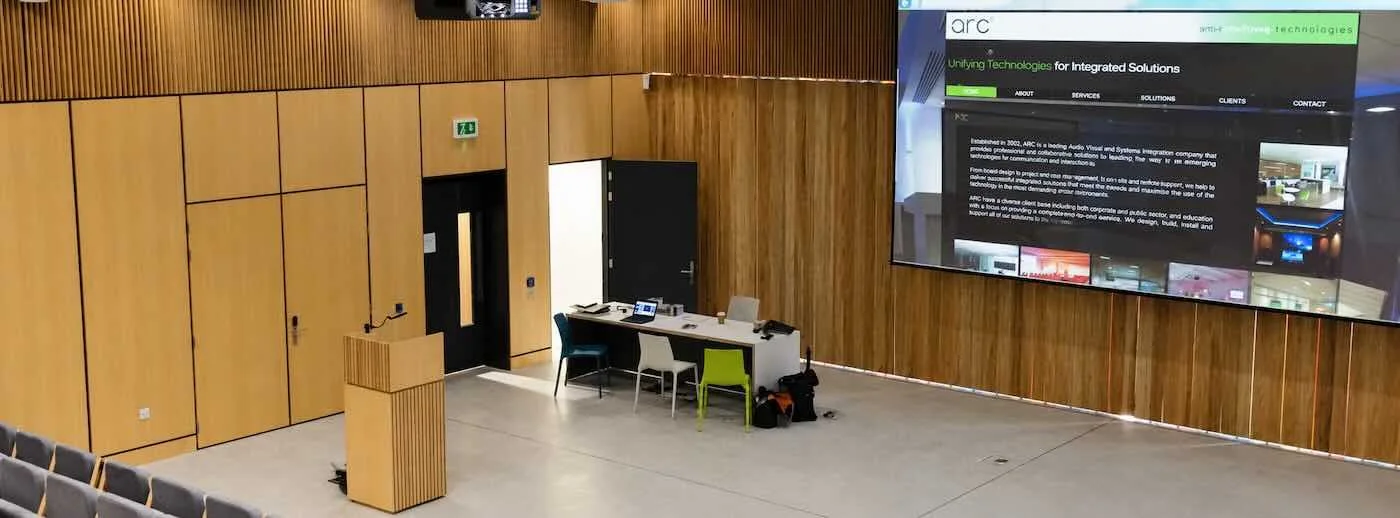
Large teaching spaces need a coordinated presentation system. Consider image size and viewing angles, lecturer and audience microphones, speech reinforcement, lectern connections, confidence displays and simple room controls. Where required, add document cameras, demonstration feeds or lecture-capture integration. The choice depends on teaching format, audience layout and room acoustics. [1]
How ARC helps: ARC can develop the system design and CAD drawings, coordinate projection or large-format displays, engineer the audio signal path and programme the controls. Agree lecture, seminar, guest-speaker and event modes, then commission each one. Test the back-row experience and the lecturer’s operation, rather than accepting the installation from the lectern alone.
5. Can the same teaching space support hybrid learning and lecture capture?
Yes, where the design includes the required cameras, microphones, content feeds, software and network services. Decide whether the purpose is live remote participation, recorded lectures or both: they have different operating needs. Camera framing, audience questions and demonstration material need a deliberate plan so remote viewers can follow the session.
How ARC helps: ARC can design the room around your institution’s preferred conferencing and capture platforms, then validate supported equipment and workflows with IT. Agree recording controls, permissions, storage responsibilities and the institution’s privacy and safeguarding procedures before use. Staff need a clear way to know when a session is being captured and how to stop it.
Lecture theatre at Uppingham School’s Science Block - supplied ARC project photograph.
Lecture theatre at Uppingham School’s Science Block - supplied ARC project photograph.
6. What IT, network and security preparation is needed before installation?
Connected AV needs a clear infrastructure plan. Check power and data points, network capacity, wireless coverage, service access and device-management arrangements. Establish who owns accounts, updates, administrative permissions and incident response. For schools and colleges in England, the Department for Education’s digital and technology standards provide useful planning guidance. [3]
How ARC helps: ARC can coordinate room technology requirements with your IT and estates teams, identify dependencies early and test the intended connections during pre-staging or a pilot. Network security, filtering and institutional policies remain under the organisation’s control. Agree which AV devices require internet access and how managed and visitor devices can present without bypassing the approved security model.
7. How much does education AV cost, and can we reuse existing equipment?
The useful figure is the whole-life project cost, not just the display price. Allow for surveys, design, hardware, mounting, cabling, audio, configuration, commissioning, training and support. Review software renewals, energy use, warranty terms and replacement planning. Existing displays, projectors, microphones or cabling may be reusable when condition, performance and supportability are suitable.
How ARC helps: ARC can assess the installed estate, identify what can be retained and prepare a phased equipment and services proposal. Compare options against the teaching brief and operational costs. Agree any remedial work before installation, and avoid assuming a manufacturer warranty includes complete-room fault diagnosis or a defined support response.
8. What other education AV systems should we consider across the campus?
Beyond teaching rooms, consider digital signage, reception displays, videowalls, room booking panels, assembly-hall audio and presentation equipment, and technology for collaborative learning areas. Shared displays can carry approved announcements, timetables, event information and wayfinding. Select the systems that solve a real operational need, with clear ownership for content and administration. [1]
How ARC helps: ARC can plan these systems alongside classrooms and lecture theatres, coordinating source distribution, controls and any agreed integrations. Define where information originates and who can publish or change it. If a system is intended for emergency messaging, its requirements and interfaces need a separately defined brief rather than an assumption that ordinary signage replaces a life-safety system.
Common-area display at Uppingham School’s Science Block - supplied ARC project photograph.
9. How do we install, test and train staff without disrupting teaching?
Build the programme around timetables, room access and site readiness. Off-site preparation can reduce on-site configuration, while phased works allow the institution to retain teaching capacity. Agree dependencies such as building works, power, data and making good before installation begins. Staff induction and practical acceptance tests belong in the programme from the start.
How ARC helps: ARC can manage pre-installation planning, equipment supply, off-site pre-staging and rack build, first- and second-fix engineering, programming and system configuration. Commission real teaching workflows, arrange client or consultant witness testing where specified and record sign-off. Complete the handover with staff training, administrator guidance, as-built information and operating manuals.
10. How do we standardise and support education AV across a whole estate?
Group rooms by purpose, prove a pilot and build repeatable standards that still allow specialist requirements. Maintain an asset register, configuration records and a planned replacement cycle. Combine remote monitoring where appropriate with practical checks of displays, audio, source switching and teaching workflows. Set clear responsibilities between institutional IT, estates and AV support. [4]
How ARC helps: ARC can develop room templates, coordinate a phased rollout and provide user and technical-team training. Agree preventative maintenance, authorised remote access, firmware testing, spare-equipment strategy and escalation routes. Support hours, response targets and parts arrangements should be written into the service scope. Use recurring faults and staff feedback to guide improvements across the estate.
From one classroom to an estate-wide AV deployment
The same delivery disciplines apply at every scale. One room needs a clear brief and complete testing; a multi-site programme also needs repeatable room standards, coordinated logistics and an agreed operating model. ARC’s professional AV services can be scoped around each stage.
From one classroom to an estate-wide AV deployment
The same delivery disciplines apply at every scale. One room needs a clear brief and complete testing; a multi-site programme also needs repeatable room standards, coordinated logistics and an agreed operating model. ARC’s professional AV services can be scoped around each stage.
| Delivery stage | What to agree with ARC |
|---|---|
| Discover & survey | Capture users, room types, existing equipment, site constraints, IT dependencies and the intended support model. |
| Design & specify | Develop room layouts, signal paths, CAD drawings, equipment schedules, controls and acceptance criteria. |
| Prove the pilot | Pre-stage the system, validate accounts and integrations with IT, and test the intended meeting workflows. |
| Prepare & install | Coordinate procurement, rack build, site readiness, mounting, cabling and installation across the agreed programme. |
| Configure & commission | Set up the room technology, implement agreed programming and run recorded functional and witness tests. |
| Train & hand over | Provide user and administrator guidance, as-built documentation, configuration records and agreed sign-off. |
| Support & improve | Define maintenance, remote assistance, incident escalation, controlled updates and lifecycle planning. |
Education AV solutions built around teaching
From classrooms and teaching spaces to lecture theatres and auditoriums, ARC can coordinate interactive displays, wireless presentation, room audio, hybrid learning technology and campus communication. A familiar operating approach helps staff move between spaces, while specialist rooms retain the functions their teaching requires.
Plan your Education AV deployment with ARC.
Whether you are equipping a first classroom, refreshing a lecture theatre or planning a whole estate, talk to ARC about tailored education AV design, equipment supply, installation, commissioning, staff training and ongoing support.
Further reading and technical sources
DfE: Digital and technology standards for schools and colleges in England
DfE: IT support guidance for schools and colleges in England
ARC: Project - Connected classroom for Uppingham School